Better reporting without building it from scratch.
Professional Excel finance tools designed to turn everyday business data into clearer management information.
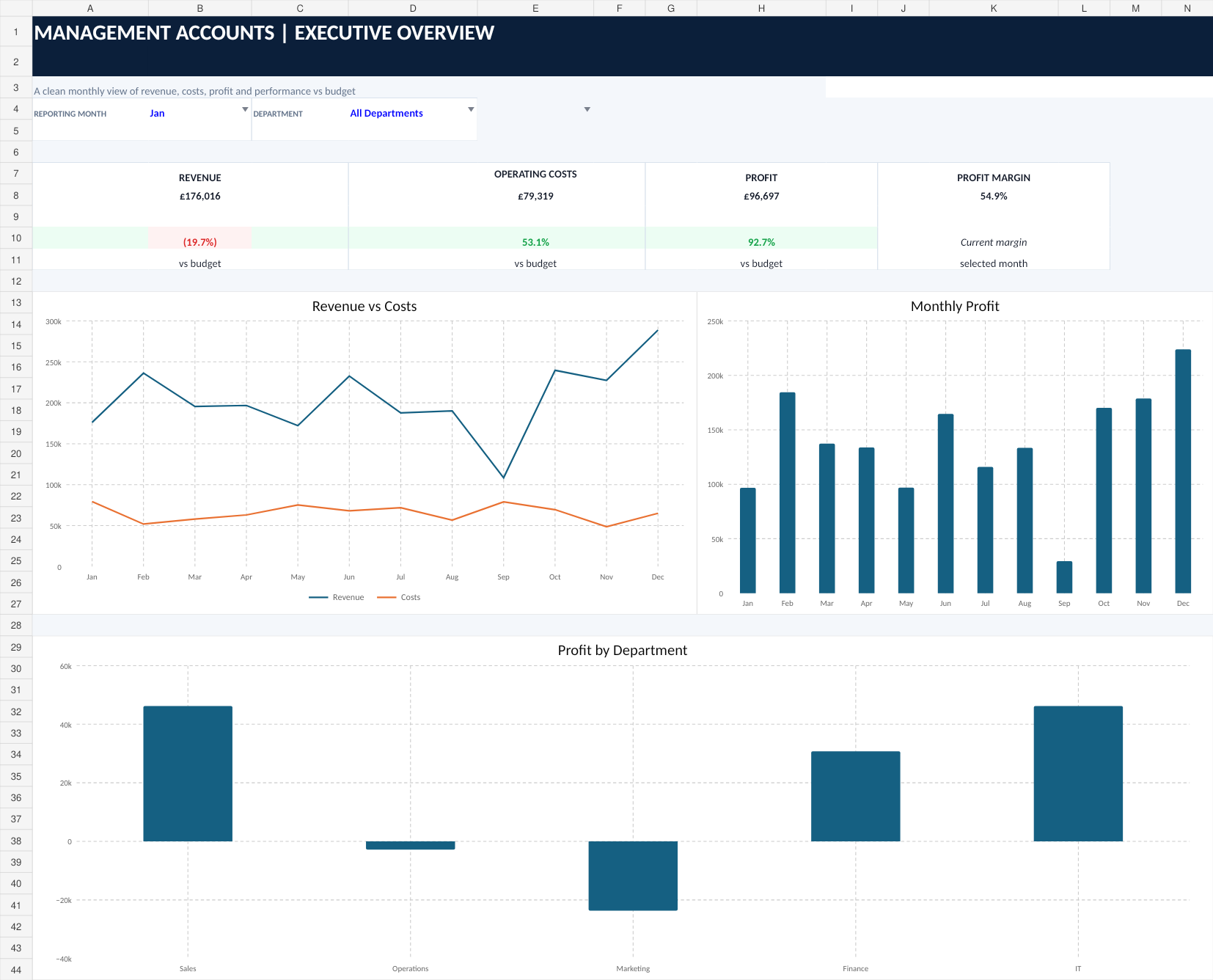
Management Accounts Dashboard
A ready-made Excel management reporting pack for tracking revenue, operating costs, profit, budget performance, monthly trends and department performance.
From raw transactions to useful management information.
The workbook is structured so you can maintain your transaction and budget data while the reporting sheets calculate the management view.
Executive overview
See monthly revenue, operating costs, profit, profit margin and budget performance in one dashboard.
Budget vs actual
Compare actual performance with budget for revenue, costs and profit, including favourable and adverse variance reporting.
Department reporting
Review revenue, costs, profit and budget performance across departments using a selected reporting month.
Monthly trends
Follow revenue, costs and profit across the year to make changes in performance easier to spot.
Structured inputs
Separate transaction and budget input areas make it clear where your own business data should be entered.
Professional formatting
GBP financial formatting, clear input styling, variance indicators and a consistent management-reporting layout.
Everything you need to get started.
A clean version ready for your own transaction and budget data, while retaining the reporting structure and formulas.
A fictional example showing how the dashboard, reports and inputs look when populated.
Built-in guidance explains the workbook structure, input conventions and the purpose of the main sheets.
Setup, Overview, Monthly Report, Trends, Departments, Transactions, Budget and Lists.
Designed for Microsoft Excel.
The product is supplied as an .xlsx workbook. For the intended experience, we recommend using the Microsoft Excel desktop application.
Recommended
Microsoft Excel desktop on Windows or Mac. This gives the most consistent experience for workbook formatting, charts and editing.
Excel for the web
The file format can be opened in Excel for the web, but Microsoft notes that some workbook features can behave differently between the browser and desktop versions. For that reason, Upcraftly FI recommends desktop Excel for this product.
Before you order.
What do I receive?
You receive the blank Management Accounts Dashboard workbook, a completed demo version and setup guidance.
Is this accounting software?
No. It is an Excel management reporting template. It is designed to help organise and present management information; it does not replace bookkeeping, accounting software or professional accounting advice.
Do I need Microsoft Excel?
Yes. The product is supplied in .xlsx format and is designed primarily for Microsoft Excel desktop.
Can I customise it?
You can enter your own business data and use the existing reporting structure. More substantial structural changes may require Excel knowledge and are not included with the standard product purchase.
Does it automatically connect to Xero, QuickBooks or my bank?
No. This version does not include live accounting-software or bank integrations. Transaction and budget data is entered or pasted into the workbook's input areas.
Can I share or resell the template?
The standard purchase is intended for the buyer's own use. Redistribution, resale or repackaging of the template is not permitted.
How do I pay?
Submit the order request below. Upcraftly FI will reply with payment instructions. Your files are supplied after payment is confirmed.
Get the Management Accounts Dashboard.
Send your order request and we'll reply with payment instructions. Once payment is confirmed, your digital product files will be sent to the email address you provide.
Questions first?
info@upcraftly.co.uk